Send SMS Messages From Your Mobile App With Twilio SMS Plug-in
Posted: September 13th, 2012 | Author: max | Filed under: API, Plugin | Tags: API, Plugin | 4 Comments »
We just made available the Twilio SMS API plug-in. This means if you need to send SMS messages from your mobile app, you can quickly use the Twilio SMS API plug-in. We will show you how to add the plug-in but you do need to sign up for free Twilio account. You will will get a Twilio phone number and you will also need to verify at least one phone number (where you would like to send SMS messages). If you go with a paid plan, you will be able to send SMS messages to any number.
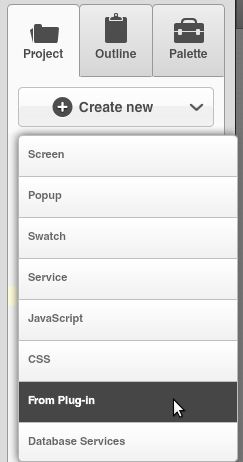
From Tiggzi builder, select Create New > From Plug-in:
Open Communication, then select Twilio SMS API:
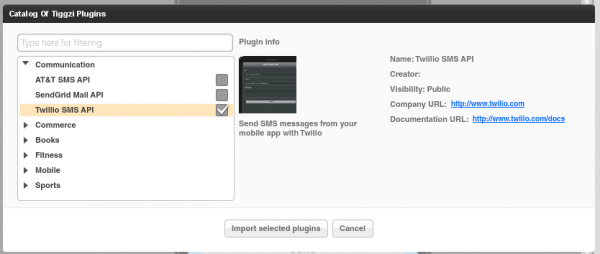
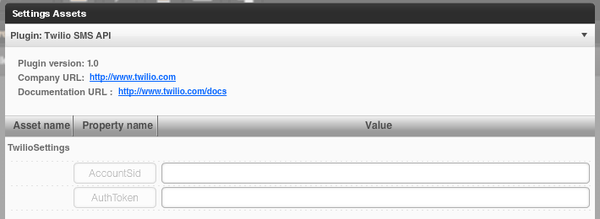
Click Import selected plug-ins button. You will then see a prompt to enter the Twilio Account SID and Twilio AuthToken:
Both are available from the Dashboard:

If you don’t enter these values during the import step, you can always enter them by going to Project > Services > TwilioSettings.
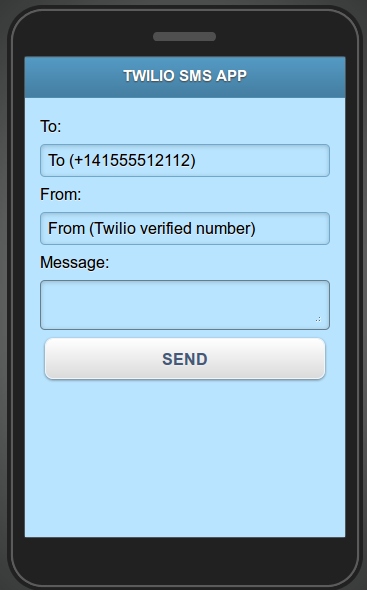
Open TwilioSMS page. The UI is ready, there is a service and mapping (not shown) all completed. Everything is ready to go. You can of course change the UI to fit your application.
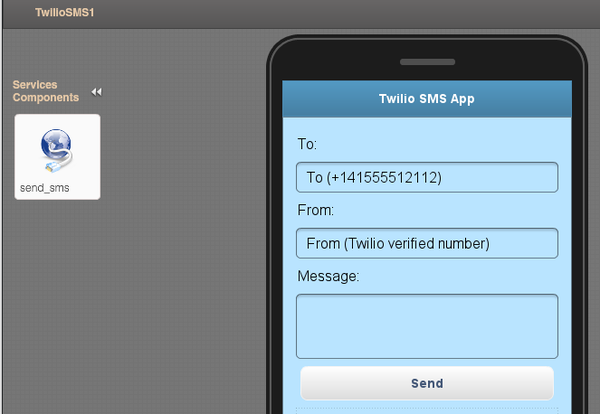
Note: when you import a plug-in, the current app theme will be used in the imported page (so your theme will probably be different).
Click the Test button and you should see a page like this:
Hey guys - when I install the Twilio plugin it’s asking me for an “Authorization” request parameter, and the test call won’t complete without it (even though I have AccountSid and AuthToken set in TwilioSettings). What do I use for the Authorization request parameter?
@Bill: can you post a picture of what exactly is happening?
Sure, here’s a screenshot: http://i48.tinypic.com/2afbrdk.png
@Bill: let’s take it off the blog, can you send an email with all the information to [email protected] or post on the forum http://tiggzi.com/forum?