Posted: December 19th, 2012 | Author: max | Filed under: API, Database, jQuery Mobile, New release, PhoneGap, Tutorials, Windows Phone | Tags: Database, jQuery Mobile, PhoneGap, release, tutorials, Windows 8 | No Comments »
Windows 8 Support
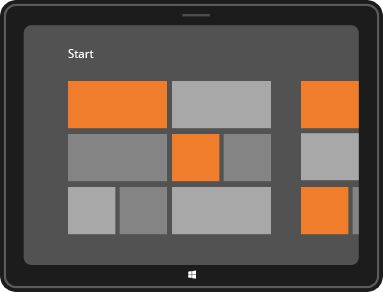
Tiggzi’s new HTML5 app builder has been the default builder for the past couple of weeks and we continue to update it with new features. One such feature is new Windows 8 support. In addition to jQuery Mobile/PhoneGap apps, you can now build Windows 8 apps with native support such as Snap View, Search Charm, Share Charm, and Live Tile.
To create a new Windows 8 app, click the “More create options” link from the Apps page and then select Windows 8 App as the app type. Try our Windows 8 app tutorial.
jQuery Mobile 1.2
We also upgraded to a much better jQuery Mobile version 1.2.
PhoneGap 2.2
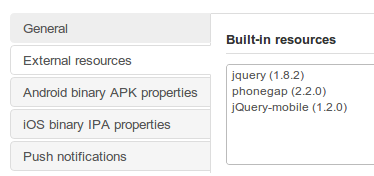
We also upgraded PhoneGap to version 2.2. This means Tiggzi’s cloud build has also been upgraded to PhoneGap 1.2:
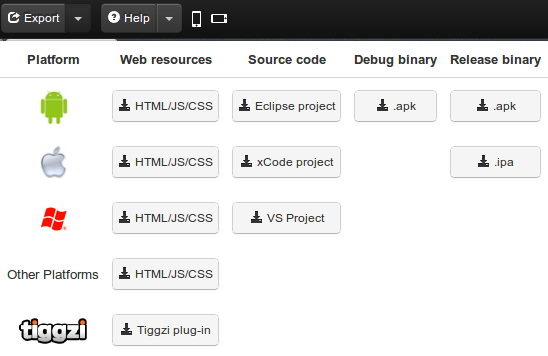
If you use Tiggzi Mobile App Tester for Android - go and grab an update so it also uses the latest PhoneGap version.
Push Notifications
A long requested feature - Push Notifications feature has been added to Tiggzi Backend Services.

Want to try it? Try our new Push tutorial.
New Tutorial: Building a ToDo App with Tiggzi Backend Services
Build this app and learn how the app builder is fully integrated with backend services.
Posted: August 27th, 2012 | Author: max | Filed under: Articles, jQuery Mobile | Tags: article, jQuery Mobile | No Comments »
Earlier we blogged on how to eliminate flickering on Android when navigating between pages. This is a follow up post with additional tips.
There are plenty of different questions/solutions on how to resolve the flickering problem. We think the following is a pretty good general solution.
In the original post we mention Android but have heard since then that it also happens on iOS devices.
To resovle the flickering problem, add this JavaScript to your app (Project > Create New > JavaScript):
$.mobile.defaultPageTransition = 'none';
$.mobile.defaultDialogTransition = 'none';
Just in case you need to target a specific OS, you can modify the code like this (shown for Android):
if (navigator.userAgent.indexOf("Android") != -1) {
   $.mobile.defaultPageTransition = 'none';
   $.mobile.defaultDialogTransition = 'none';
}
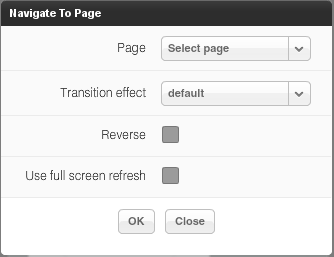
Once you add this code, you need to use only the Default transition for navigation. If you use any other transition effect, you will get back the flickering.
The next thing you can try is to hide the Ajax loader (shown on service invocation and page transitions). Project > Create New > CSS and enter this code:
#ajaxBusy {display: none !important;}
This should make transitions even smoother.
Lastly, you can also try what jQuery Mobile team suggests (see Important section in yellow).
Let us know if these workarounds work for you.
Posted: July 24th, 2012 | Author: max | Filed under: Database, Features, jQuery Mobile, New release, PhoneGap | Tags: Database, features, jQuery Mobile, PhoneGap, release | No Comments »
We got some really cool stuff out this week. Check it out.
Better way to test your app
When you open the app builder you should see a new and very nice phone frame:
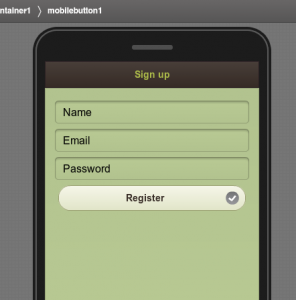
The old one was more Android-like. The new one is neither Android, iPhone or Windows Phone. Just a nice phone frame.
There is an upgraded test page:
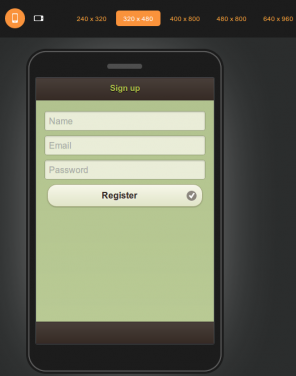
You can use the new tool bar at the top to change the phone orientation as well as change the size:

That’s not all. We also now have an option to test the app without the mobile frame. In the Test pop-up, uncheck Show in mobile frame:
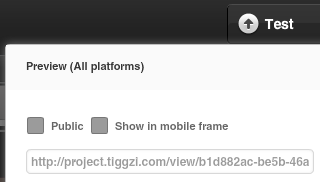
When you open the app, it won’t use the frame:
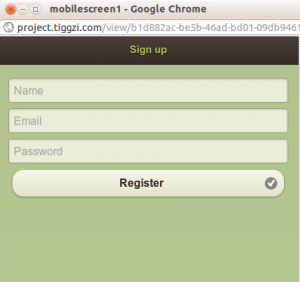
The frame looks nice in the browser, but technically speaking testing without the frame is better — as you are testing the actual app (just the app code, no frame). Of course when you run the app on your device, the frame is not there as well.
jQuery Mobile Multi-page Template
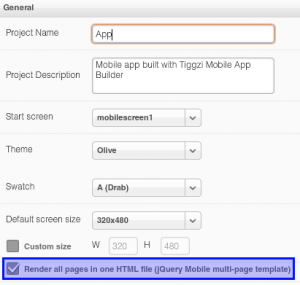
jQuery Mobile supports multi-page templates where two or more pages are placed inside the same file. You can now turn on this features in Tiggzi app builder (it’s turn off by default). Go to Project > Project Profile:
Queries In Database Console
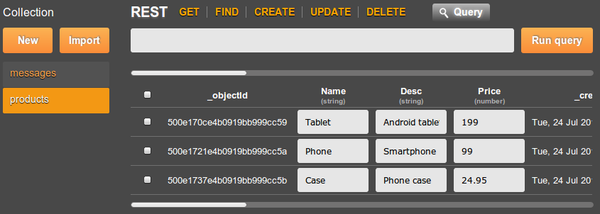
Tiggzi Database comes with Queries support (docs) and now you can try the queries right from the collection console:
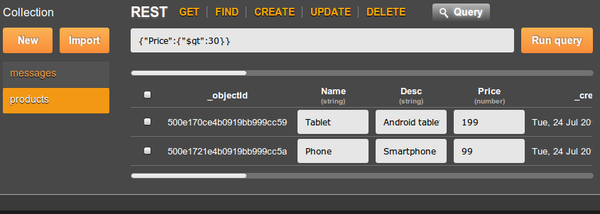
Showing products that cost more than $30 (or any other currency):
PhoneGap Upgrade
We upgraded to PhoneGap version 1.8.1. Every new and existing app will now use this new version of PhoneGap.
Android 4.0.x
We also added build support for Android 4.0.x
As always, we want to get your feedback. You can always email us ([email protected]) or post on our forum.
Posted: June 5th, 2012 | Author: max | Filed under: API, Articles, HTML5, iOS, JavaScript, jQuery Mobile, PhoneGap, Windows Phone | Tags: API, article, HTML5, iOS, JavaScript, jQuery Mobile, PhoneGap | No Comments »
Cloud Services

In the past year or so, we have witnessed a major shift from client-server to client-cloud. This shift is primarily fueled by two factors: mobile devices exceeding desktop computers and the thousands of different APIs available on the Internet today. What started in early 2000 on eBay and Amazon has become a real revolution in 2012 with thousands of companies, from Twitter and Facebook to AT&T, offering cloud-based services.
REST API
One of the most common ways to access private or public service APIs is via REST requests.
In the client-server approach an organization builds applications that consume its own internal content and resources. However, even large IT organizations such as AT&T, Verizon and Amazon have come to realize that they are no match for the social consumer and social enterprise developers out there. By making APIs publicly available, these organizations hope that developers and “citizen developers” will come and build applications and mobile apps on top of their services.
Citizen developers at work
Analysts at Gartner see a trend toward app creation independent of IT. They predict that by 2014, citizen developers – employees outside of IT and software development – will build 25% of new business applications. In 2007, they built less than 5%.
One of the best-known API success stories comes from Amazon: Its cloud service APIs let outsiders access the company’s massive data centers. Twitter, with its deceptively simple 140-character message model, exploded thanks to its API. In fact, you probably read and write tweets via a Twitter application or mobile app rather than going directly to Twitter’s Web site. Facebook’s Graph API has spawned a whole industry of apps to support its hundreds of millions of users.
Continue reading →
Posted: May 30th, 2012 | Author: max | Filed under: Features, jQuery Mobile | Tags: features, jQuery Mobile | No Comments »
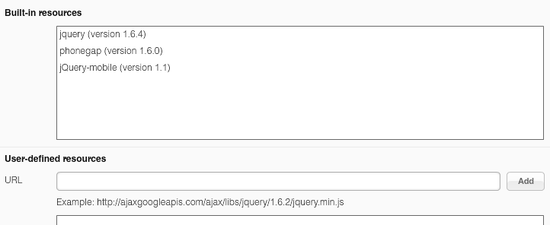
In our May release we upgraded to jQuery Mobile 1.1. This means that the app that you build in Tiggzi is using jQuery Mobile version 1.1. You can always check the version by going to Project view > Projects > Project Profile > Built-in resources:
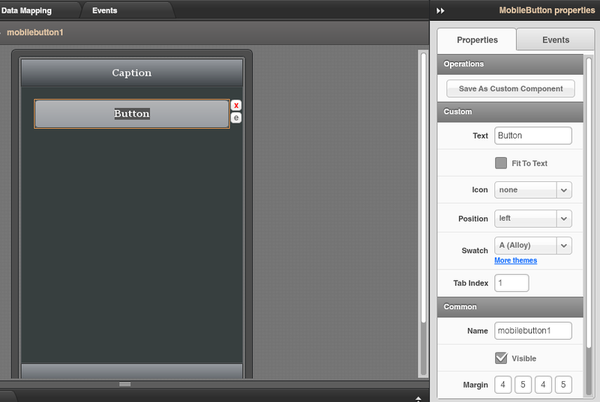
As you probably know you get jQuery Mobile components in Tiggzi, plus some HTML5 components such as audio, video. There is also Google Maps component. Every jQuery Mobile component comes properties that can be configured. When building an app int Tiggzi, you simply select the component and can see all the properties which can be configured in the Properties view:
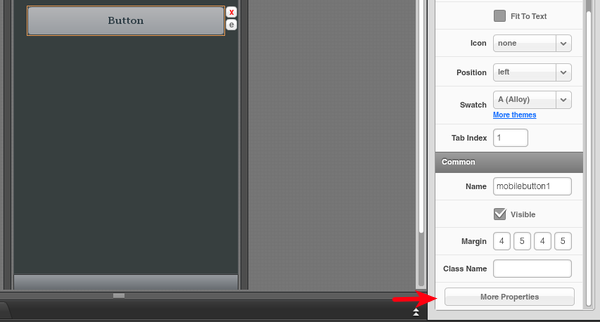
For some UI components, not all available properties are available in Properties view. For such cases, Tiggzi comes with a special More Properties button (at the very end):
Via More Properties, you can add any attributes supported by the selected component. In fact, you are not limited to just setting properties which are not exposed in Properties view, you can set any properties. For example, adding these two properties:
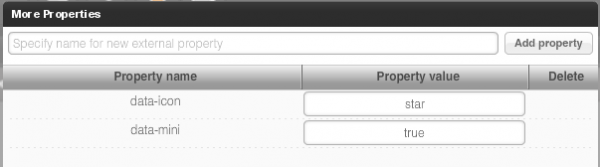
will result in this:
Have fun building apps, you now get the full power of jQuery Mobile.
Posted: May 29th, 2012 | Author: max | Filed under: API, HTML5, jQuery Mobile, Mobile Backend | Tags: API, HTML5, jQuery Mobile, Mobile backend | No Comments »
Kinvey is one of those services that makes building mobile backend way too simple. If you combine Kinvey with a cloud-based app builder Tiggzi, you get everything you need to build an awesome mobile app using cloud services. Let me show you what I mean.
To start, sign up for Kinvey, it’s free and then create your first app backend. We re going to create a backend for beers(!).
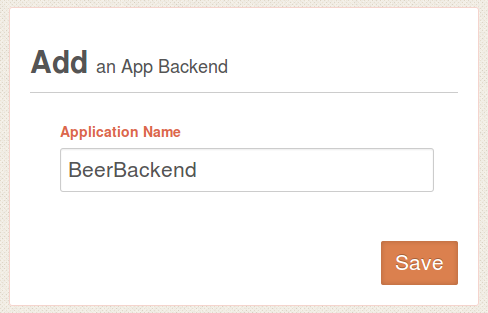
Next, create a new collection where we are going to store names of beer we like:
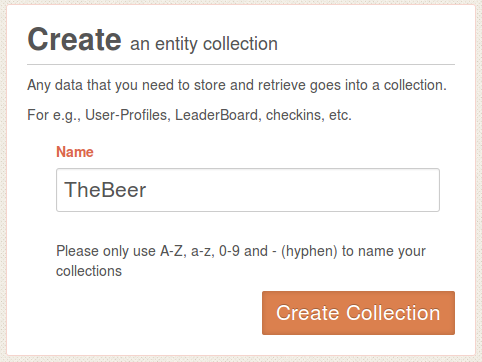
Open the collection. When you open it for the first time it will be empty so we need to define at least one column and enter some data. Click on +Col, and add Name column. Then add a few sample entries by clicking +Row. You can simply double click in Name column to enter values (you don’t need to enter anything for _id or _acl).
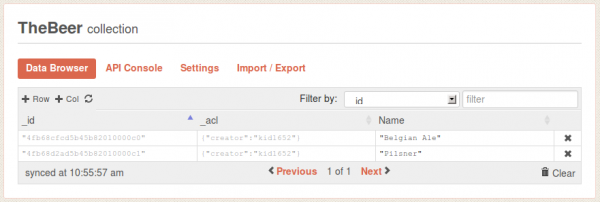
That’s pretty much all you need to do. Simple, right?
Let’s now go to Tiggzi app builder and create a jQuery Mobile app.
Read More >>
Posted: May 17th, 2012 | Author: max | Filed under: Features, jQuery Mobile, New release, Windows Phone | Tags: features, jQuery Mobile, release, Windows Phone | No Comments »
Tiggzi mobile app builder got some new and cool stuff in May release.
jQuery Mobile 1.1
jQuery Mobile was updated to the latest stable version 1.1.
Windows Phone Export
We just added Windows Phone code export.
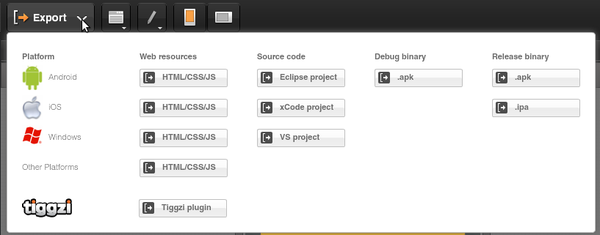
We are also planning to add binary build. For now, once you export the project you can jump to PhoneGap Build and get the binary there. Or, you can always build it yourself.
UI breadcrumbs, plus easier delete
A really nice feature in Tiggzi visual builder is the ability to have containers such as grid and place other components inside. To make it super easy to select a particular component we just added breadcrumbs. It makes it very easy to navigate the UI by clicking the component id in the breadcrumbs bar.
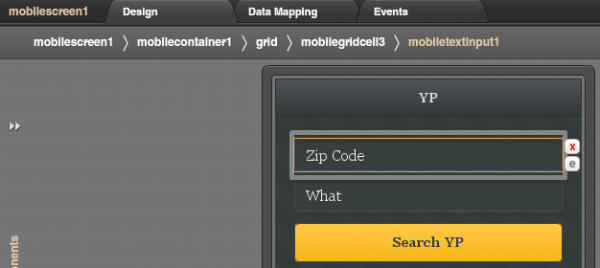
In addition to breadcrumbs, we made it very easy to delete an element. Simply click on the red x icon. Clicking on the e icon will open Events view for the component.
Plug-in Properties
With new Plug-in properties, any service information such as API keys can be entered in one place and reused by any number of services. A small but nice feature to save time.
Code generation update
OK, the was requested for a long time. If you name your page MyCoolPage, in the resulting app it will be MyCoolPage.html. If you upload an image called MyCoolImage.png, in the resulting app it will be MyCoolImage.png. Yes, as simple as that, but a very important feature.
Posted: April 23rd, 2012 | Author: Charley Cowens | Filed under: Features, New release | Tags: features, iOS, jQuery Mobile, PhoneGap, release | 3 Comments »
The Tiggzi team keeps making the great even better, as you can see in this latest release of Tiggzi Mobile App Builder. New features include everything from iOS binary builds to updated support for jQuery Mobile and PhoneGap. Read on to find out more. Read the rest of this entry »
Posted: April 19th, 2012 | Author: max | Filed under: HTML5, jQuery Mobile, Mobile Backend, PhoneGap, Tutorials | Tags: API, HTML5, jQuery Mobile, Mobile backend, PhoneGap | No Comments »
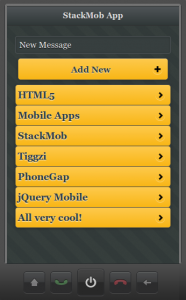
We just published a very nice hands-one tutorial on how to build HTML5/jQuery Mobile app connected to StackMob API. StackMob is super easy to use service for creating a mobile back-end for your app. Everything you create is instantly exposed as REST.
Give it a try!
Posted: March 29th, 2012 | Author: max | Filed under: HTML5, Tutorials | Tags: API, HTML5, jQuery Mobile, tutorials | No Comments »
We just published a new tutorial that shows you how to build an HTML5 mobile app connected to OpenShift REST API. It’s based on this example.
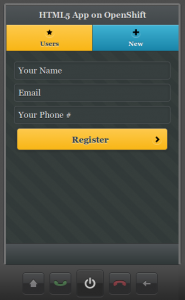
The app has two pages, and two services. One service gets the current list of users. The second services creates a new user. Give it a try and let us know if you have any questions!