When you build an HTML5/jQuery Mobile app in Tiggzi, you can instantly host the app. Every plan gets hosting. Yes, even the Free plan.
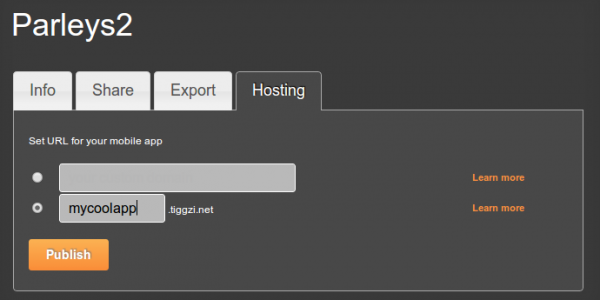
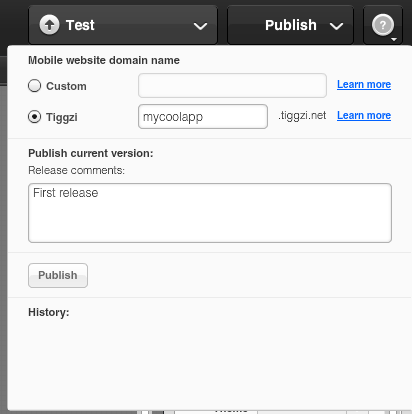
Simply go to Hosting tab. You can use app-name.tiggzi.net domain or a complete custom URL if you own a domain.
You can also publish the app right form the builder. If you don’t see that option, go to Hosting tab and convert the app to mobile web type (the default new app comes with PhoneGap. Such app cannot be published as it might be using native device features).
In the past year or so, we have witnessed a major shift from client-server to client-cloud. This shift is primarily fueled by two factors: mobile devices exceeding desktop computers and the thousands of different APIs available on the Internet today. What started in early 2000 on eBay and Amazon has become a real revolution in 2012 with thousands of companies, from Twitter and Facebook to AT&T, offering cloud-based services.
REST API
One of the most common ways to access private or public service APIs is via REST requests.
In the client-server approach an organization builds applications that consume its own internal content and resources. However, even large IT organizations such as AT&T, Verizon and Amazon have come to realize that they are no match for the social consumer and social enterprise developers out there. By making APIs publicly available, these organizations hope that developers and “citizen developers” will come and build applications and mobile apps on top of their services.
Citizen developers at work
Analysts at Gartner see a trend toward app creation independent of IT. They predict that by 2014, citizen developers – employees outside of IT and software development – will build 25% of new business applications. In 2007, they built less than 5%.
One of the best-known API success stories comes from Amazon: Its cloud service APIs let outsiders access the company’s massive data centers. Twitter, with its deceptively simple 140-character message model, exploded thanks to its API. In fact, you probably read and write tweets via a Twitter application or mobile app rather than going directly to Twitter’s Web site. Facebook’s Graph API has spawned a whole industry of apps to support its hundreds of millions of users.
Kinvey is one of those services that makes building mobile backend way too simple. If you combine Kinvey with a cloud-based app builder Tiggzi, you get everything you need to build an awesome mobile app using cloud services. Let me show you what I mean.
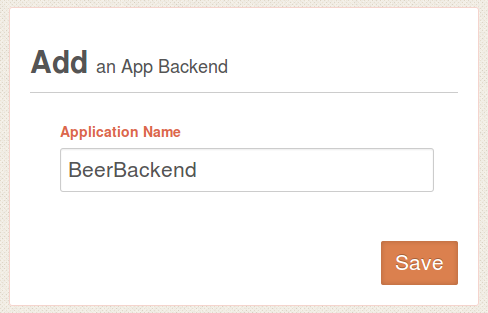
To start, sign up for Kinvey, it’s free and then create your first app backend. We re going to create a backend for beers(!).
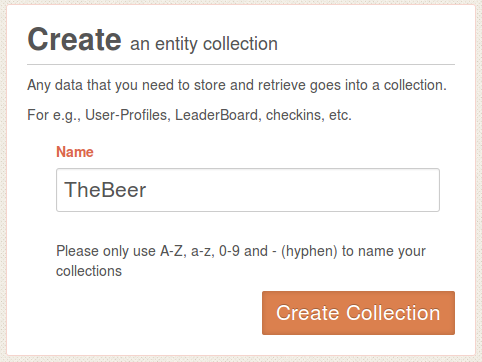
Next, create a new collection where we are going to store names of beer we like:
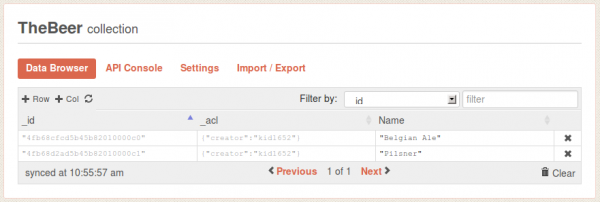
Open the collection. When you open it for the first time it will be empty so we need to define at least one column and enter some data. Click on +Col, and add Name column. Then add a few sample entries by clicking +Row. You can simply double click in Name column to enter values (you don’t need to enter anything for _id or _acl).
That’s pretty much all you need to do. Simple, right?
Let’s now go to Tiggzi app builder and create a jQuery Mobile app.
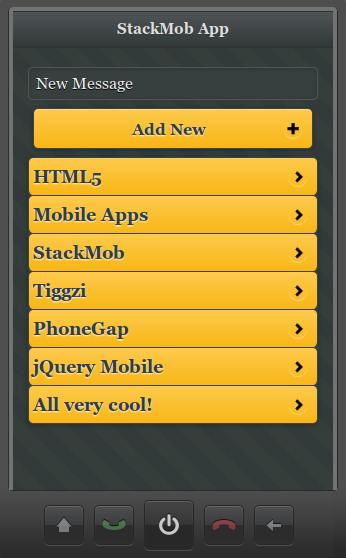
We just published a very nice hands-one tutorial on how to build HTML5/jQuery Mobile app connected to StackMob API. StackMob is super easy to use service for creating a mobile back-end for your app. Everything you create is instantly exposed as REST.
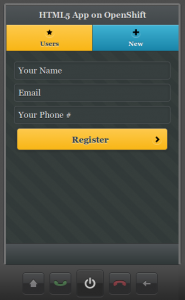
We just published a new tutorial that shows you how to build an HTML5 mobile app connected to OpenShift REST API. It’s based on this example.
The app has two pages, and two services. One service gets the current list of users. The second services creates a new user. Give it a try and let us know if you have any questions!
When starting a new mobile app in Tiggzi Mobile App Builder, you get two choices. You can create a mobile app which is essentially a PhoneGap app, or a mobile web app which is pure HTML5, jQuery Mobile app. When going with a mobile web app, you can easily publish and host your app from Tiggzi by clicking the Publish button.
You can create a subdomain such as mycoolapp.tiggzi.net but can also use completely custom domain. This is an incredible feature because you can build the app in the cloud and then do one-click publish. Your app is published in about 3 minutes. Once the app is published, you can continue working and republish the app once the new release (new features) were added.
Mobile app hosting is included in the Pro plan and can be added as an option to the Standard plan for $10/m.
Lastly, if this sort of hosting is not your cup of tea, you can always export the app and host it anywhere else. Either way – it’s super easy and fast.
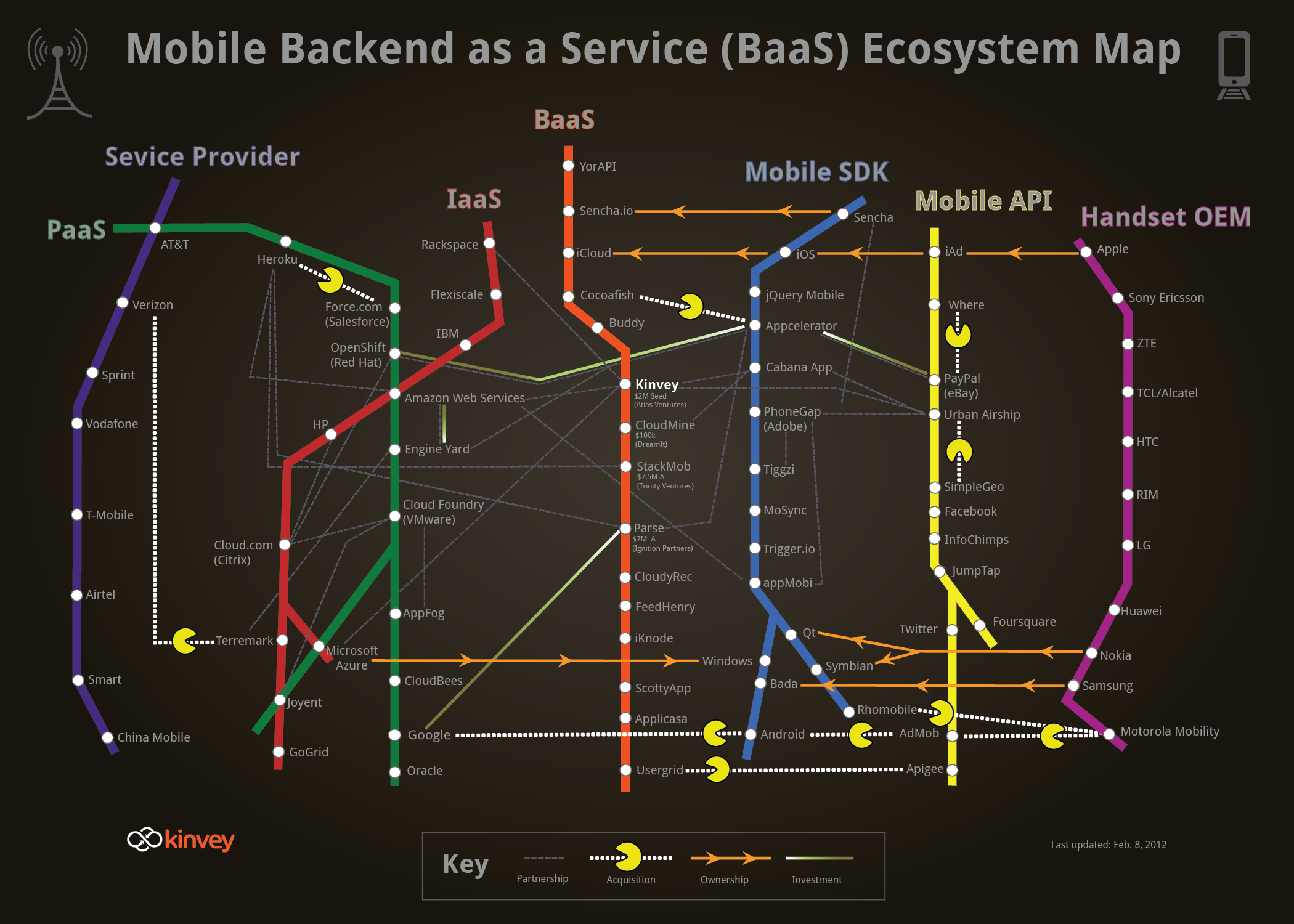
First of all thanks to Kinvey for creating this wonderful map and including Tiggzi in it (blue Mobile SDK line). Tiggzi could actually span 3 different lines: BaaS, Mobile SDK and Mobile API. Tiggzi is a cloud-based HTML5 mobile app builder, so it’s not exactly a mobile SDK. In fact, the technology under the hood is HTML, JavaScript and jQuery Mobile. For hybrid apps, the app can be wrapped in PhoneGap, which also provides access to native device features. So, there is no really “custom” SDK.
Second, from the builder it’s incredibly easy to consume any REST API (yellow Mobile API line). Tiggzi comes with a pretty nice REST services console where any service can be tested. From the same console, the REST service response (structure) can be automatically created. Once the service is defined, it is mapped to jQuery Mobile UI using a visual mapper (UI to service input, service output to UI).
Thirdly, as most BaaS services (orange line) are exposed as REST, HTML5 mobile app built in Tiggzi, can easily connect and use those services.
Lastly, and maybe the most important point is how incredibly fast you can build apps. It sort of all makes sense.. you got cloud-based mobile backend (exposed as REST) and cloud-based app builder to build the apps. It sounds simple.. but a really elegant picture.
This perfectly describes Tiggzi. Tiggzi is cloud-based builder for creating HTML5, jQuery Mobile, PhoneGap, and RESTful mobile apps.
Originally posted: http://mkblog.exadel.com/2012/02/mapping-the-tools-in-the-mobile-development-ecosystem-and-how-tiggzi-mobile-app-builder-fits-in/.
Here is how the app looks in Google Chrome (desktop):
You can try the app here.
We are working on adding an actual component for the <audio> tag. We already have HTML5 <video> tag.
One more thing. Mobile browser support for the <audio> still varies. iOS seems to have good support while Android support is not as good yet (no support on Android 2.2).