Search, Review, and Compare Prices with Aetna GoodRx API and Sample App Tiggzi Plug-in
Posted: January 2nd, 2013 | Author: max | Filed under: API, Plugin | Tags: API, Plugin | No Comments »How the plug-in works
 Aetna GoodRx API and Sample App plug-in can be instantly added to any new or existing app and allows a user to search, navigate, and compare prices for drugs. Aetna GoodRx is offering RESTful services that help to find the lowest retail cash price as offered by a national chain pharmacy for a given pharmaceutical. In addition, user will receive a URL for each result that will navigate to the page in the GoodRx mobile web experience that will display the pharmacy that is offering that price, and even find the closest branch to on their current location.
The ready-to-run app makes it super easy to start using the API. To add Aetna GoodRx plug-in:
- From Tiggzi builder, select Create New -> From Plug-in
- Open Healthcare, then select Aetna GoodRx API and Sample App
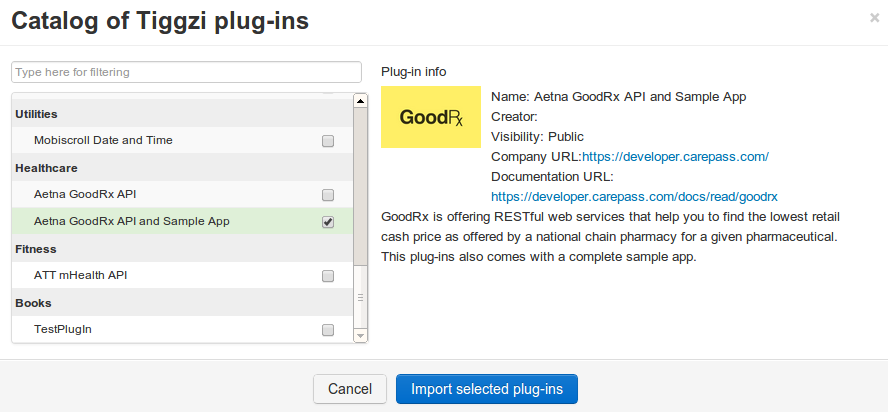
Using GoodRx API requires an API key which you can get from http://developer.carepass.com. To enter the API key, open Services/Aetna_GoodRx_Settings file:

Once the API key is set, click on the Test button (upper right corner) to launch the app in the browser. The first page looks like this:
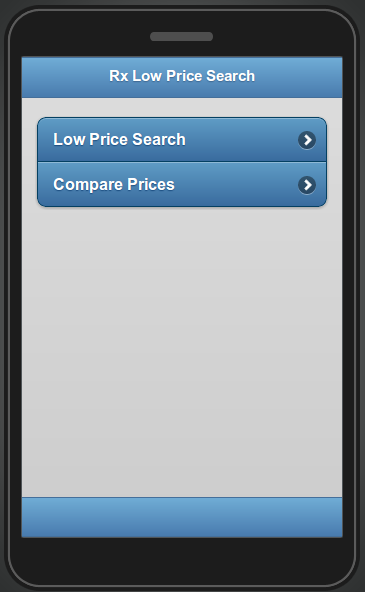
Clicking on Low Price Search link, will show the following page:
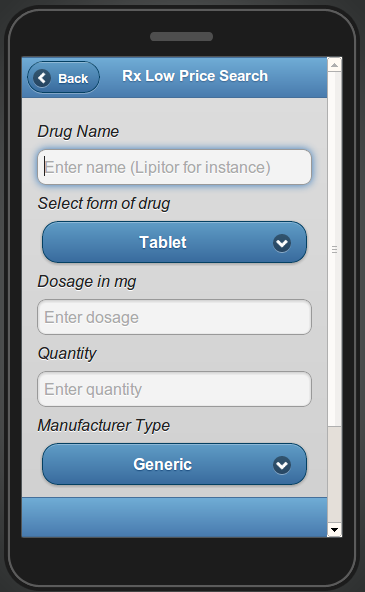
The Low Price Search page contains the search attributes for drugs as follows:
- Drug Name (open text field, required)
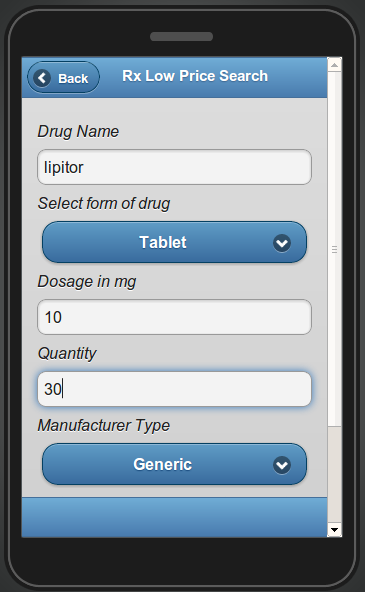
- For example: lipitor
- Select form of drug (drop-down, optional).
- Possible value:
- Tablet
- Capsule
- Injectable
- Liquid
- Possible value:
- Dosage in mg (optional, requires digits)
- For example: 10
- Quantity (optional, requires digits)
- For example: 30
- Manufacturer Type (drop-down, optional)
- Possible values:
- Brand
- Generic
- Possible values:
- National Drug Code Directory identifier (open text field, optional)
To test the app, enter the following values shown below:
Clicking Search (at the bottom of the page), will result in the following page:
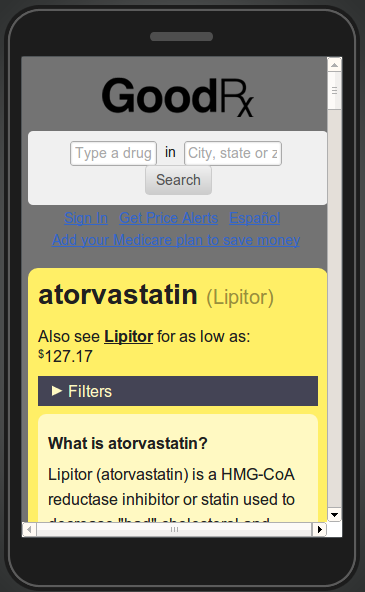
The page shows information about the drug as well as information (scroll down) where it can be purchased.
Inside the plug-in
Now that we’ve seen how this sample app works, let’s dig deeper to see how the GoodRx API is exposed on the Tiggzi platform.
The following REST services are used for getting information from GoodRx API.
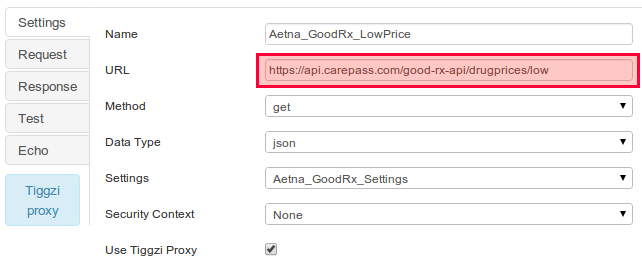
Aetna_GoodRx_LowPrice service
Aetna_GoodRx_LowPrice is used for getting the list of the lower prices of the requested drugs. The URL and the main settings of the service as shown below:
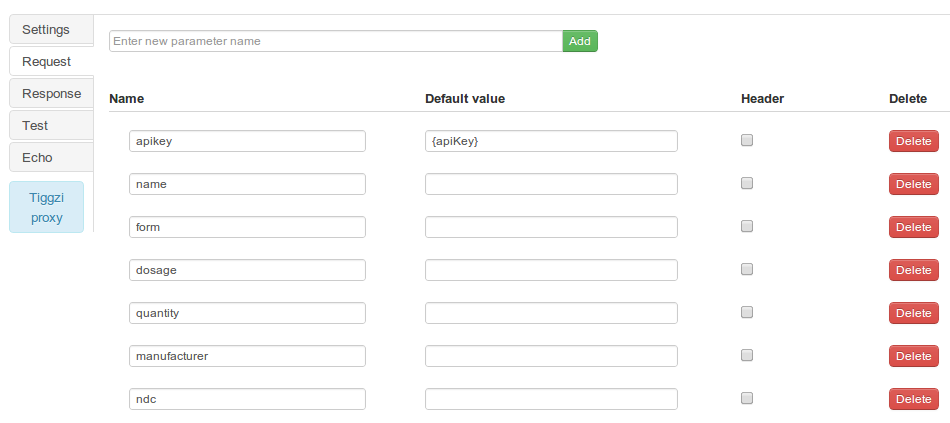
The request parameters are displayed under the Request tab:
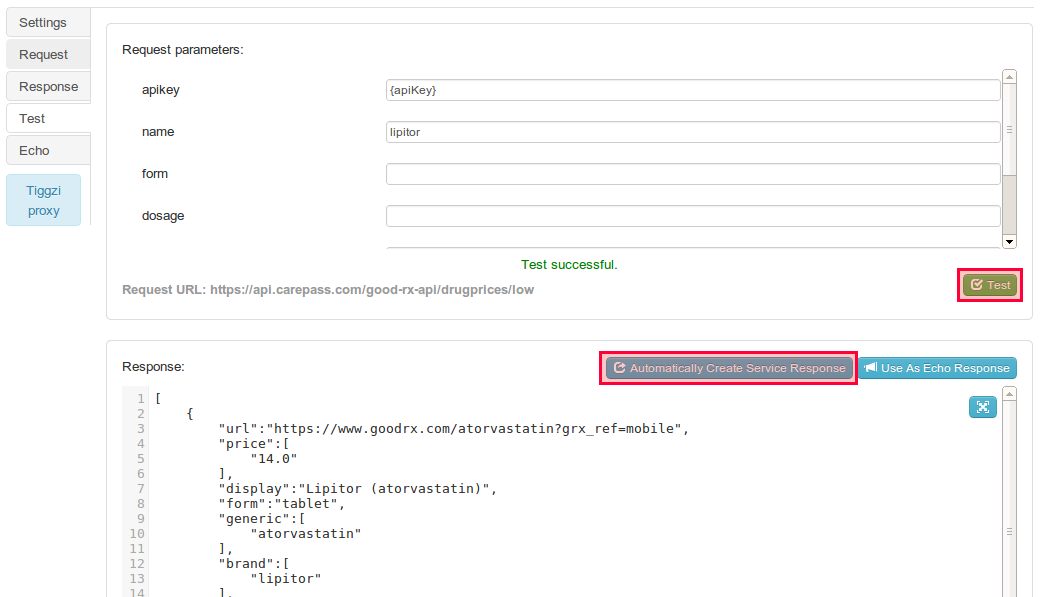
To generate the response parameters navigate to the Test tab, enter the name of the drug and click on the Test button, and then click on the Automatically Create Service Response button as shown on the screen below:
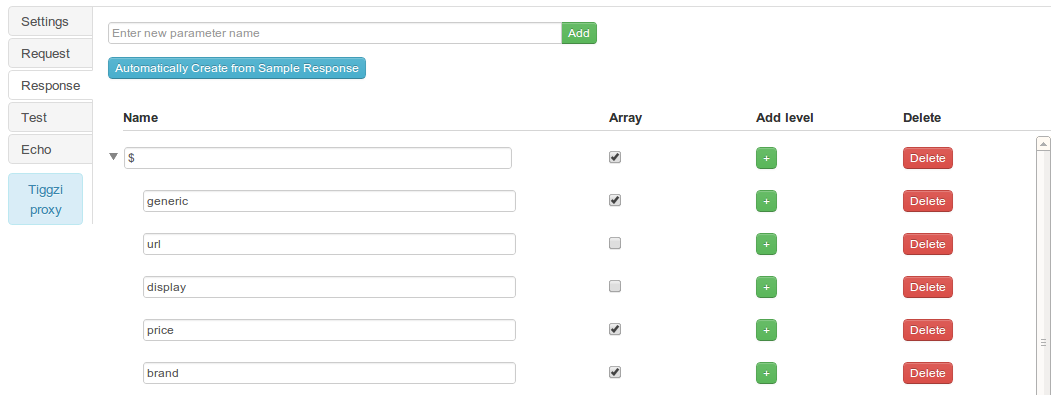
All the created response parameters are displayed under the Response tab:
Aetna_GoodRx_Compare service
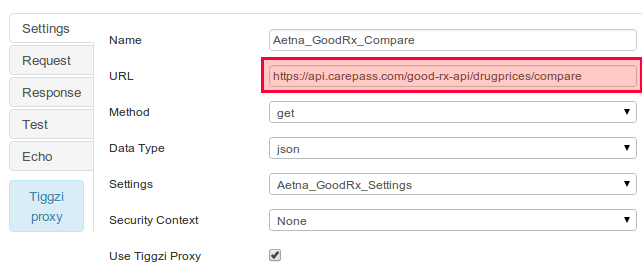
Aetna_GoodRx_Compare is used for getting the list of the lower prices of the requested drugs and available stores. The URL and the main settings of the service as shown below:
Aetna_GoodRx_Settings service
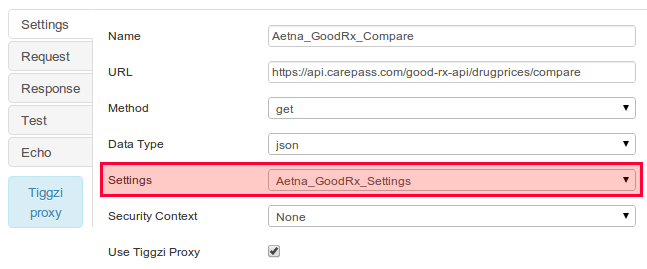
This service holds the API key. You will notice that both services use this service in Settings:
Leave a Reply