Posted: March 15th, 2011 | Author: max | Filed under: Articles, mobile | Tags: article, mobile | No Comments »
The state of Mobile Web development today is probably what was traditional Web back in 1996. Many companies is racing to create mobile presence, be it in the form of a native applications or mobile Web applications. To set the native vs Web debate a side for now, there is a tool to help you prototype and test your mobile Web applications. You can even use the resulting HTML as a starting point for the application. The prototyping tool is Tiggr. With Tiggr, you can create, share and preview interactive Web and mobile HTML prototypes in a browser. Read more.
Posted: March 7th, 2011 | Author: max | Filed under: mobile, Tiggr | Tags: mobile | No Comments »
Creating Web and mobile interactive HTML prototypes in Tiggr is simple. But what about the iPad (and other tablets)? Well, turns out it’s pretty simple as well. All you need to do is change the prototype screen size to iPad’s (1024×768):
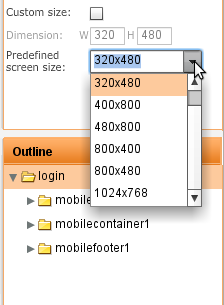
To start your prototype for iPad, don’t forget to switch Screen Type to Mobile.
Posted: December 28th, 2010 | Author: max | Filed under: Features, mobile | Tags: features, mobile | No Comments »
Can you mockup tool do this? [via Maxa blog]
Posted: December 27th, 2010 | Author: max | Filed under: mobile | Tags: features, mobile | No Comments »
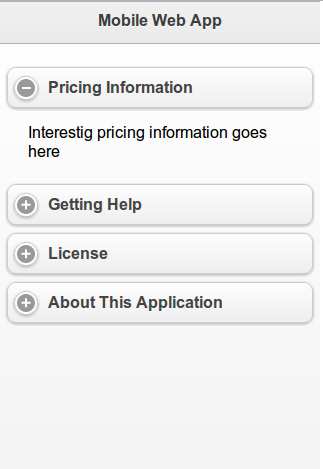
Last week we pushed Tiggr version 1.2.4. Besides bug fixing, we added a new mobile control: Collapsible Block. You can place any other controls inside and the block is collapsible in design as well as in Web Preview. See how it actually looks in a browser (try to expand/collapse the block).
Posted: December 16th, 2010 | Author: max | Filed under: mobile | Tags: mobile | No Comments »
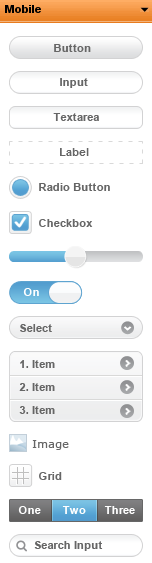
With Tiggr 1.2.3 release this week, we have added two new mobile components based on jQuery Mobile. The two components are Navigation Bar and Search Bar. They are the last two components in this screen shot:
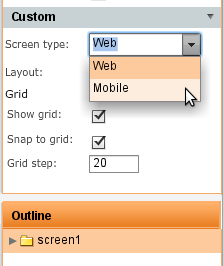
To switch between Web and Mobile prototypes, click anywhere in the whiteboard and in Properties view select the screen type: