When you build an HTML5/jQuery Mobile app in Tiggzi, you can instantly host the app. Every plan gets hosting. Yes, even the Free plan.
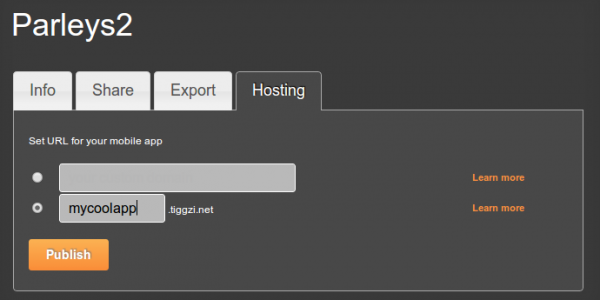
Simply go to Hosting tab. You can use app-name.tiggzi.net domain or a complete custom URL if you own a domain.
You can also publish the app right form the builder. If you don’t see that option, go to Hosting tab and convert the app to mobile web type (the default new app comes with PhoneGap. Such app cannot be published as it might be using native device features).
We got some prety cool features and updates this week.
New Projects and Dashboard Pages
We got new Projects and Dashboard (old My Account) pages.
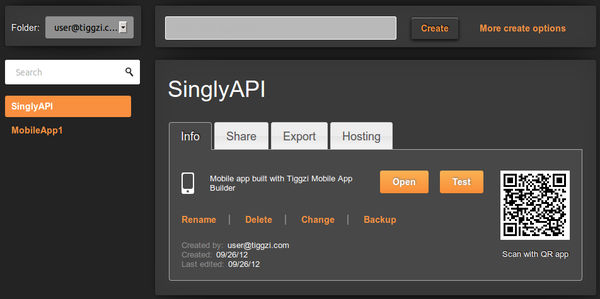
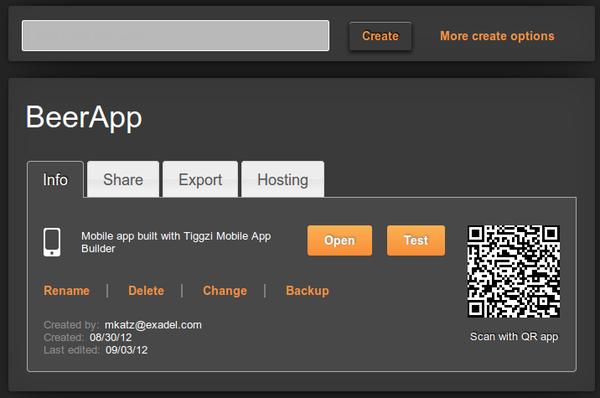
With the new Projects page, you got the list of projects and project details in one page. Project details are separated into different tabs — for easier navigation.
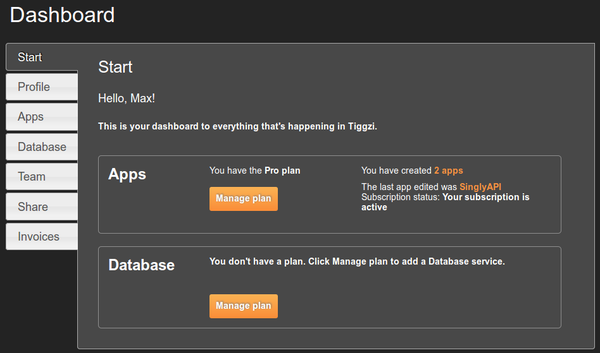
The new Dashboard page is informational dashboard into everything happening in Tiggzi, your plan information, and more:
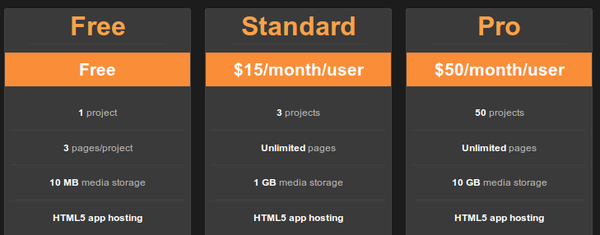
HTML5 app hosting in all plans, plus Standard plan gets unlimited pages
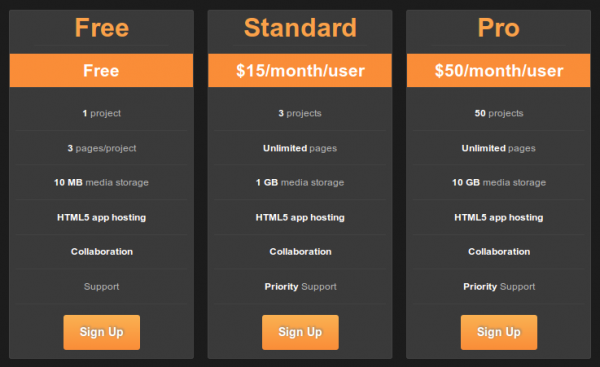
HTML5 app hosting is now included in every plan. Yes, even in the Free plan. Plus, the Standard plan now has unlimited pages (up from 10).
Tiggzi Backend Services
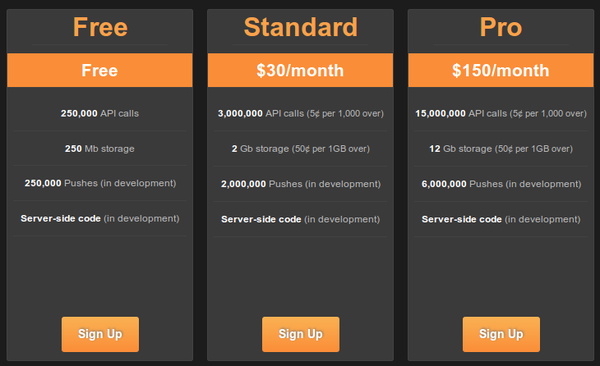
Tiggzi Backend Services are out of beta. You can check out the features and pricing. We got a pretty nice Free plan so definitely check it out. As for new features, we are working on Push and Server-side code.
Last month we released app builder-database integration. You can view the vidoe how fast it is to add a database to your app:
PhoneGap 2.0
We also upgraded to PhoneGap 2.0. All projects, old and new now get the new PhoneGap version 2.0.
Coming soon: new HTML5/JS builder beta
We have been working for the past couple of months on a really awesome new HTML5/JS builder. We are getting ready to launch the beta so you will be able to try it.
Last week we published the first version of Singly plug-in in Tiggzi. This means you can connect to Singly API in Tiggzi builder in just a few seconds. This also means you can use Singly API to connect to over 18 social networks, integrate people’s contacts, photos, locations, fitness data, and more into your app.
Here is how to get the plug-in.
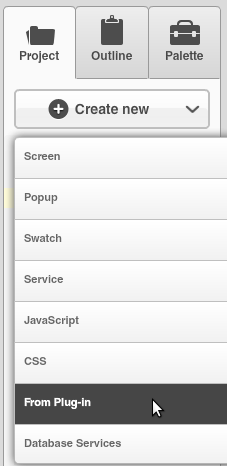
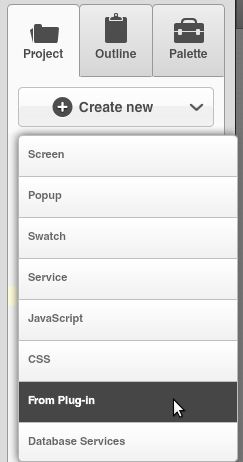
From Project view, select Create New > From Plug-in:
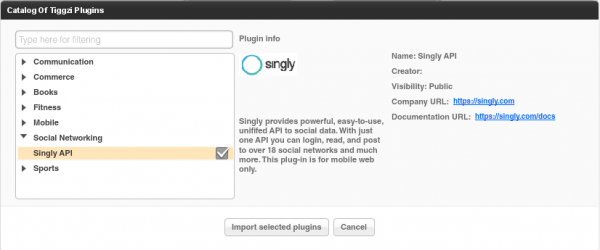
Select Singly API plug-in:
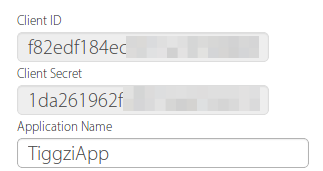
You will be asked to enter the Client ID and Client Secret. You get it from Singly.com (after creating a free account and registering an app):
If you don’t enter the values during import, you can always set these ids by going to Project/Services/SinglySettings.
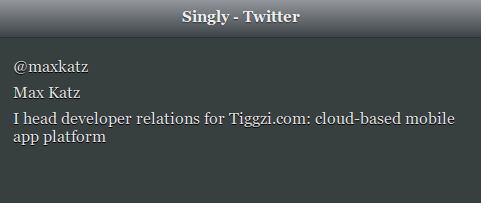
Once the plug-in was imported, go to Project/Project Profile and set SinglyStart to be the first page to launch. Go ahead the launch the app. You will be asked to login to Twitter (that’s the default service set) and then should get something like this (it will be your Twitter information):
To change the service, open SinglyStart page, select the button and open Run Custom JavaScript action (Events tab). You will be able to see the initial request to Singly and the place to change the service.
Give it a try and let us know what you think. One thing to keep in mind, the current version will only work as a mobile app (it will not run as native). I’m working with Jeremie Miller form Singly to support hybrid apps as well as other APIs. Do let us know if you would like us to add a specific feature.
We got some really cool changes in tomorrow’s release. Here is a quick heads up of what’s coming up.
New look for Projects and Dashboard pages
Here is a screen shot of the new Projects page. With the new tab design, it will be much simpler to work with a project and navigate the projects list:
Changes to pricing
We are making some (good) changes to pricing.
The Free plan now includes HTML5 app hosting.
The Standard plan now has unlimited number of pages (from 10 per app) and also includes HTML5 app hosting.
The Pro plan now comes with 50 apps.
Tiggzi Backend Services
Tiggzi backend services are coming out of beta with pretty nice Free plan and the following pricing:
We are working on adding Push and Server-side code features!
We just made available the Twilio SMS API plug-in. This means if you need to send SMS messages from your mobile app, you can quickly use the Twilio SMS API plug-in. We will show you how to add the plug-in but you do need to sign up for free Twilio account. You will will get a Twilio phone number and you will also need to verify at least one phone number (where you would like to send SMS messages). If you go with a paid plan, you will be able to send SMS messages to any number.
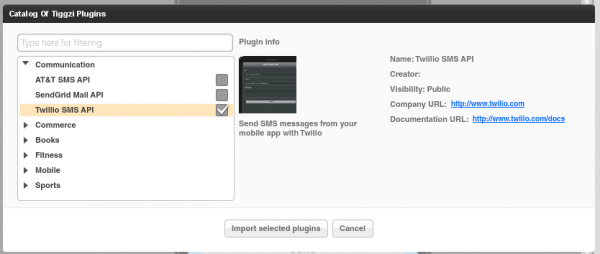
From Tiggzi builder, select Create New > From Plug-in:
Open Communication, then select Twilio SMS API:
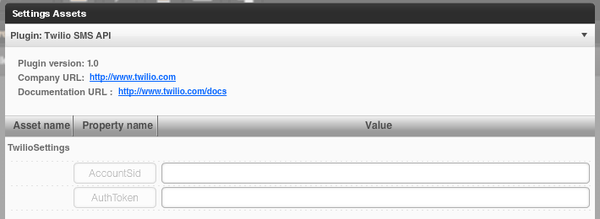
Click Import selected plug-ins button. You will then see a prompt to enter the Twilio Account SID and Twilio AuthToken:
Both are available from the Dashboard:
If you don’t enter these values during the import step, you can always enter them by going to Project > Services > TwilioSettings.
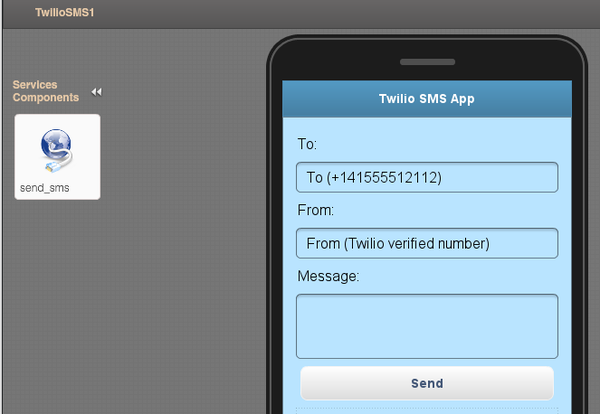
Open TwilioSMS page. The UI is ready, there is a service and mapping (not shown) all completed. Everything is ready to go. You can of course change the UI to fit your application.
Note: when you import a plug-in, the current app theme will be used in the imported page (so your theme will probably be different).
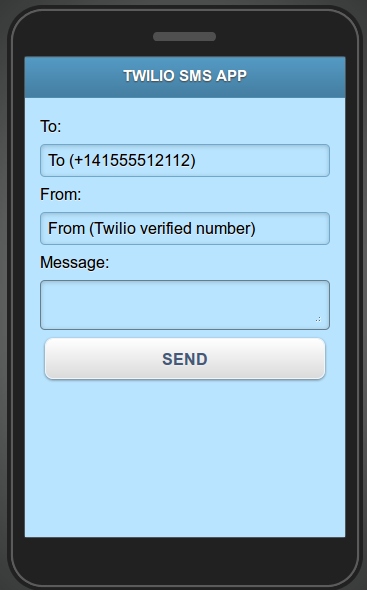
Click the Test button and you should see a page like this:
AT&T is hosting DevLab event in Mountain View, CA, on September 25. It’s a one-day, hands-on programming workshop, featuring deep dives into the latest services and tools for mobile app development. AT&T is offering Tiggzi users free registration when you use the code MUSEUM. To learn more and sign up, go to http://www.2012devlab.com/
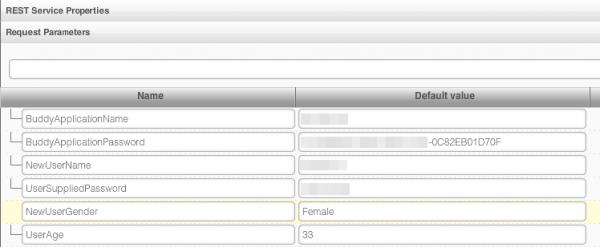
Buddy is a cross-platform mobile “backend as a service”. In Tiggzi app builder you can easily use any 3rd party REST API, including Buddy API. Every API is different and here is how to setup Buddy API. Buddy adds the actual action to invoke in the URL, after the ?, followed by any additional request parameters:
If you want to use SQLite database, get data from the database and be able to use Tiggzi’s visual data mapper, this post shows how to do it. It uses a Generic Service to get data from the database.