Posted: April 26th, 2011 | Author: max | Filed under: Features | Tags: features | No Comments »
Check out this interactive prototype. It was complety created in Tiggr using the new events/actions feature.
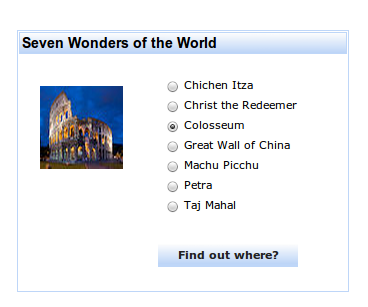
Every time a new wonder is selected, a different image is shown. On click event, the image src attribute is updated with a new image. When you click Find Out where?, a pop-up opens showing the location of the wonder. Every time a new wonder is selected, a custom location JavaScript variable is set. Inside the pop-up, component which display the location is bound to this variable. Pretty cool, huh?
Create your first interactive prototype in Tiggr.
Posted: April 18th, 2011 | Author: max | Filed under: Features, New release | Tags: features, release | 5 Comments »
Tiggr 2.0 packs powerful new features: expanded events/actions, templates, custom components and annotations. Try the new Tiggr today
Events and actions
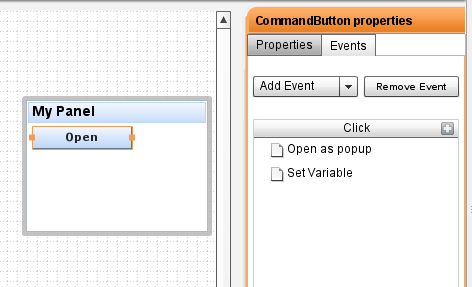
We have greatly expanded actions and events feature and now in addition to navigating between pages, you can set events such as click, value change and associate actions with those events such as setting a value, opening a pop-up window and much more. We are taking HTML prototypes to, well, real HTML prototypes. The following actions are supported (and more are coming soon):
- Set HTML attribute
- Set Property
- Navigate to Page
- Navigate to Link
- Open as Popup
- Close Popup
To start using the expanded events/actions features, just switch to the new Events tab.
Page templates
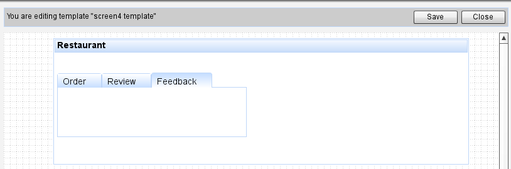
Who doesn’t need or like templates? As the prototype becomes bigger, making changes that repeat on every page becomes more difficult and time consuming. That’s why we just introduced templates – frequently requested feature!. You will be able to save any screen as a template and then use the template to create new pages based on it. How do you like this time-saving feature!
Custom components
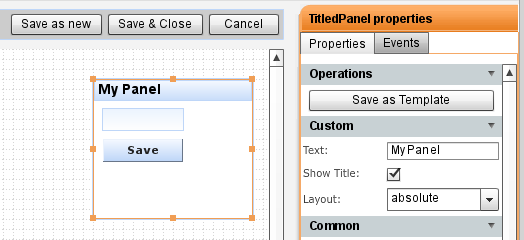
Need to reuse two or more components multiple times? Now you can create a composite custom component to use anywhere in your project. The composite component will appear in Custom Components palette. To create such component, just select two or more components and click Create Template button.
Annotations
Collaborating and sharing the prototype was possible since the beginning. However, it can be very useful to be able to leave notes or comments inside the prototype for users to view later such as “Change button label to “Save”. Now it’s possible with the Annotations features. Another cool and useful feature! To activate annotations, click Show Annotations at the bottom of the application.
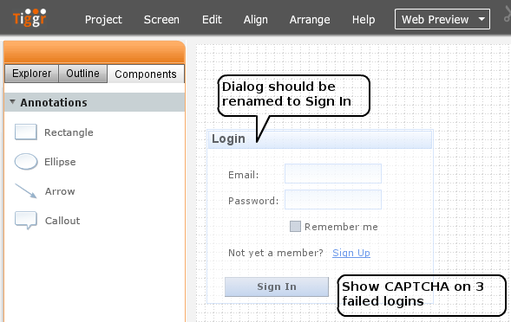
New View with three tabs – Explorer, Outline and Components
To make it easier to work with projects that have large number of pages, we have created a new view which combines Explorer, Outline and Components tabs. Explorer tab is for pages, Outline tab is for quick navigation, and Components tabs has all the controls you can use to create prototypes, it will also list your custom components.
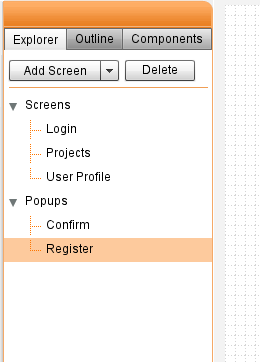
Feedback from the community
We also fixed or added the following issues reported by users:
- Absolute layout not property working inside panels
- Resize images to any size
- Share project from within the editor. You no longer need to go back to Projects page to share
You can always tell us what you think by visiting http://getsatisfaction.com/gotiggr or on Twitter: @gotiggr.com.
Happy Interactive Prototyping!
Posted: April 7th, 2011 | Author: max | Filed under: Features | Tags: features | No Comments »
We are working hard on getting the next major release of Tiggr out and have planned a number of major and user requested features: actions and events, templates and annotations (notes). Here is a quick preview of what’s coming up!
Expanded actions and events
Today you can navigate between pages but wouldn’t it be cool if it was possible to define other actions and events. Well, that’s coming up. We are expending actions and events feature and soon you will be able to set events such as onclick, onchange and others and associate actions with those events such as setting a value, opening a pop-up window and much more. We are taking HTML prototypes to, well, real HTML prototypes.
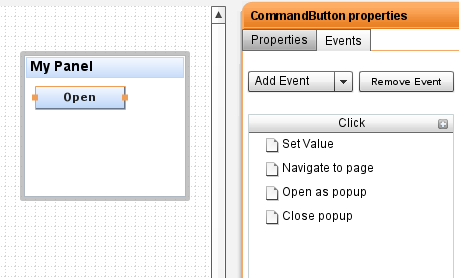
Screen templates
Who doesn’t need or like templates? As the prototype becomes bigger, making changes that repeat on every page becomes more difficult and time consuming. That’s why we are introducing templates. You will be able to save any screen as a template and then use the template to create new pages based on it. How do you like this time-saving feature!
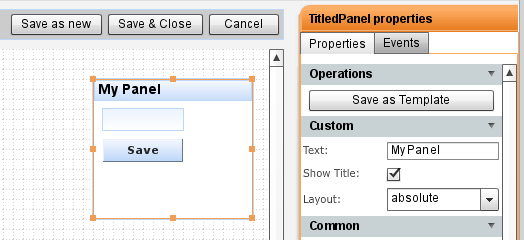
Annotations (notes)
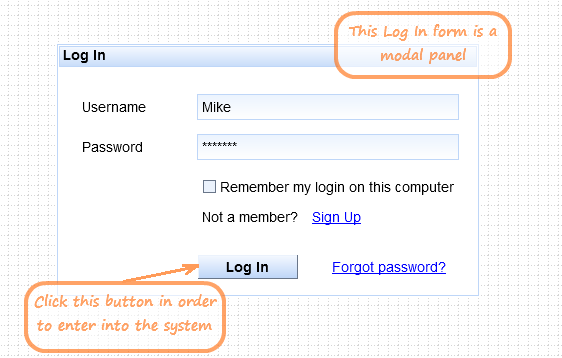
Need to comment on particular component or design? Need to leave a note for other users with whom you shared the prototype? You will be able to do it very soon. We are adding annotations feature where you can add notes to the prototype (these notes will not be visible in Web Preview of course).
But, don’t wait, try Tiggr today!