Tiggr review: Tips for interface designers
Posted: February 28th, 2011 | Author: max | Filed under: Review, Tiggr | Tags: review, Tiggr | No Comments »Another Tiggr review: English version [original Russian version]
Another Tiggr review: English version [original Russian version]
Today we released Tiggr version 1.2.6 with numerous features and enhancements. Behind the scenes, we made the editor more stable and faster. We think you will really like what we have in this release.
New link and spacer mobile controls to make it simpler to build mobile prototypes:
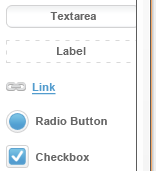 |
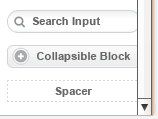 |
Mobile preview now shows the prototype within the actual screen size you defined in properties:
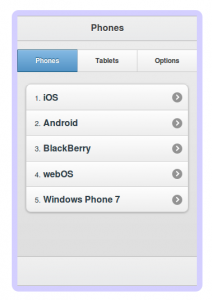
Select a predefined size or set a custom one:
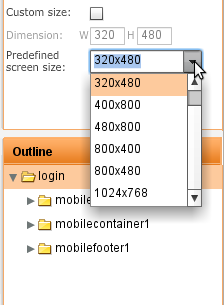
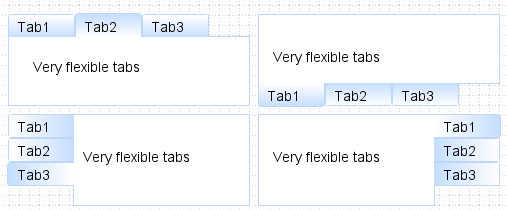
Tabs layout container got even more flexible. In addition to positioning the tabs at the top or bottom, you can also now position tabs on left or right:
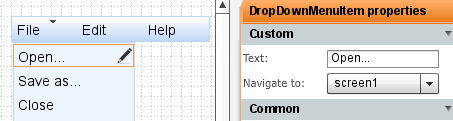
It was possible to navigate between pages using a link, button or an image but somehow we missed the menu. Well, it’s now possible to navigate via menu as well. Drag and drop a menu into a page and head to properties to set navigation:
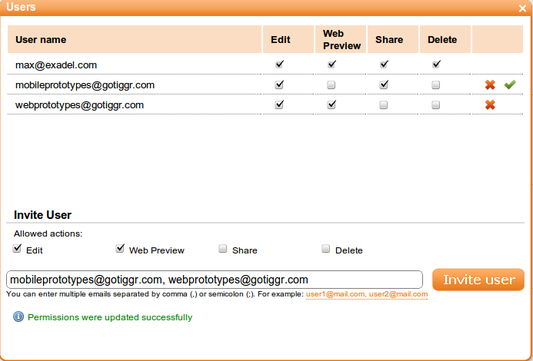
If you shared a project before, the user you shared with had full access to the project, he or she could edit, delete, preview and invite others to share. Starting with this release, you can control what permissions each user has. And, you can invite multiple users at once, just separate emails with a comma or semicolon.
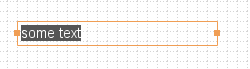
When you insert a new component, the component is inserted in edit mode automatically, so it’s easier to edit (no longer need to double click to enter edit mode):
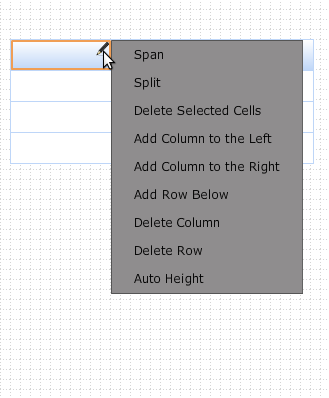
Let’s just say editing a grid or table row/column wasn’t the simplest task to do. Luckily, we made it much simpler. Just click the edit icon (pencil) in a column and select your action. That’s it. You can also edit rows/columns in properties.
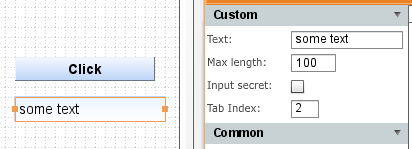
When viewing a prototype in a Web browser, it’s important to be able to test how tabbing works on input components. When creating a prototype, it’s now possible to set a tab index for input components:
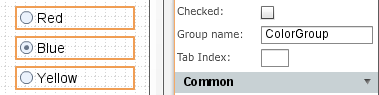
Creating a radio button group was some what tricky (had to place the buttons inside a container). You don’t have to do it any more. A new property allows you to include any number of radio buttons in a separate group:
We hope you will never do, but if you really really have to, you can now delete your Tiggr account by going to My Account (just in case, you will have 2 weeks to reactivate it). [User requested].
As always, let us know what you think and what features you would like to see: http://getsatisfaction.com/gotiggr.com. Don’t forget to follow Tiggr on Twitter (@gotiggr).
TheServerSide.com: Why You Need Interactive and Clickable UI Prototypes for Your Next Project
We moved Tiggr support to a new address, at http://getsatisfaction.com/gotiggr. But don’t worry, we have moved all the community topics there as well. So, let us know what you want to see, what we can do better or answer any questions.
The Tiggr team.
Wireframes Magazine: Tiggr review.
Tiggr in the field of prototyping (English version).
Original Russian version.